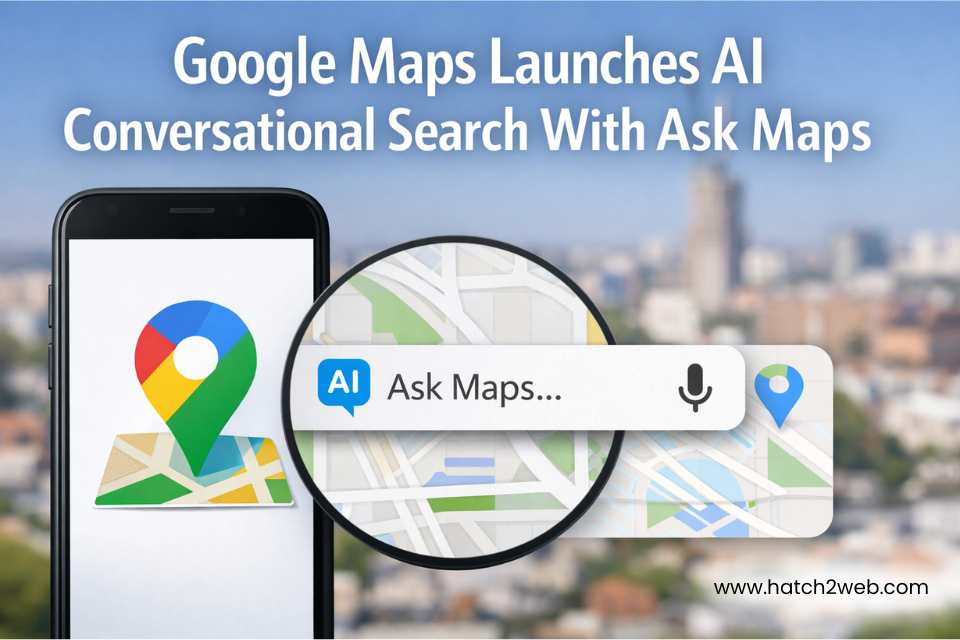
Local customers are searching for businesses like yours every day—on their phones, inside Google Maps. If your listing does not show up in those top 3 “map results,” you are losing easy calls, walk‑ins, and enquiries to competitors. This guide walks you through Local SEO 101 and shows how a new business can start ranking on Google Maps in about 30 days.
How Google Maps Rankings Actually Work
When someone types “salon near me” or “CA in USA” into Google, they usually see a small map plus three highlighted business listings. That block is called the Local Pack and it gets a huge share of clicks.
Google decides who appears there using three key signals:
- Proximity – How close your business is to the searcher or the area typed in the query.
- Relevance – How well your profile, categories, and website match what the person is looking for.
- Prominence – How trusted and popular your business appears online (reviews, ratings, citations, links, activity).
You cannot move your shop’s physical location, but you can strongly influence relevance and prominence in the next 30 days.
Week 1: Set Up and Clean Up Your Google Business Profile
Your Google Business Profile (GBP) is the control centre for Maps visibility. If you do nothing else, fix this first.
1. Claim and verify your profile
- Search your brand name on Google.
- If a listing already exists, claim it. If not, create a new GBP.
- Complete verification (postcard, phone, email, or video—whatever Google offers).
Use your real, legal business name only. Avoid stuffing keywords like “best”, “city name”, or “near me” into the name; it can lead to suspensions.
Fix NAP and core details
Google wants clean, consistent Name, Address, Phone (NAP) information.
Inside your profile:
- Enter your exact business name and full address.
- Add your main phone number (one you actually pick up).
- Set opening hours and special hours (holidays, weekly off).
- Add your website URL and service areas if you travel to customers.
Then, match the same NAP details on:
- Your website footer and contact page
- Major local directories in your country (industry‑specific sites, local listings, etc.)
Consistency across the web strengthens trust and reduces confusion in Google’s system.
Choose the right categories
Category selection is one of the strongest ranking factors in the Local Pack.
- Pick one clear primary category (for example: “Dental clinic”, “Digital marketing agency”, “Chartered accountant”).
- Add 2–4 secondary categories that reflect real services, not every possible variation.
Correct categories tell Google what you actually do and which searches you should appear for.
Week 2: Make Your Listing Hyper‑Relevant
Once the basics are clean, you need to help Google understand who you serve and where you operate.
Write a short, local description
Use 2–3 sentences that clearly cover:
- What you offer
- Who you help
- Where you work
Example: “We are a full‑service digital marketing agency in Chicago, helping local startups and SMEs with SEO, websites, and paid ads across Irvine, Riverside, and Los Angeles. ”
Keep it natural. One or two location phrases are enough—no keyword stuffing.
Add services, products, and attributes
Inside GBP:
- Add services with simple explanations (“Root canal treatment”, “Home AC repair”, etc.).
- Add products or packages (for example, “Bridal makeup package”, “Monthly bookkeeping plan”).
- Tick relevant attributes like “Wheelchair accessible”, “Women‑led”, “Online appointments”.
These extra fields create more “hooks” that match specific searches in your city.
Create a location‑focused landing page
Do not rely on your Google listing alone. Support it with a strong local page on your website.
For example:
- /plumbing-services-chicago/
- /ac-repair-phoenix/
On that page:
- Use a simple H1 like “Dental Clinic in Irvine, California”.
- Mention nearby landmarks, neighbourhood names, or metro stations.
- Add brief testimonials or mini case stories from local clients.
- Embed a Google Map of your location.
This page becomes the perfect destination for your GBP link and strengthens both Maps and organic rankings.
Week 3: Build Prominence – Reviews, Citations, and Local Links
Now that Google knows who and where you are, you need to prove that people trust you.
Run a focused 30‑day review drive
Quantity, average rating, and keywords inside reviews all influence visibility.
- Create a short review request message and a direct review link from your GBP.
- Ask every satisfied customer to leave honest feedback (via WhatsApp, SMS, or email).
- Avoid scripting exact phrases—Google can spot fake patterns.
- Reply to every review: thank happy customers and address concerns in negative ones.
An active, well‑reviewed profile stands out to both users and Google’s algorithm.
Fix and build local citations
Citations are mentions of your business (with NAP) on other sites.
Start with:
- Google, Facebook, Instagram, Bing Places
- Local business directories, industry associations, and marketplace listings
Make sure your NAP is identical everywhere. Even a handful of strong, relevant citations help reinforce your existence and legitimacy.
Earn a few real local backlinks
Backlinks from local websites are powerful “votes of confidence”.
Look for:
- Business associations or chambers of commerce
- Vendor or partner websites (labs, suppliers, agencies, etc.)
- Sponsorships of events, schools, or community groups where your site can be linked
You don’t need hundreds; even 5–10 solid local links can move the needle for a new business.
Week 4: Keep the Profile Active and Track What Works
Google wants to show businesses that are open, responsive, and active.
Post on your profile weekly
Use Google Posts inside GBP:
- Short updates (“Now open on Sundays in Irvine”)
- Offers (“Free first consultation this month”)
- New services (“Now offering Invisalign at our clinic”)
Posts are not a direct ranking factor, but they signal that your business is alive and can boost engagement and click‑through rates.
Turn on messaging and track calls
If available for your category and region:
- Enable Messaging so users can chat directly from your listing.
- Use call tracking or Google’s call history where possible.
- Add UTM parameters to your website link to measure Maps traffic in analytics.
Data from these tools tells you how many enquiries are actually coming from Google Maps.
Review Insights and refine
Inside GBP Insights, look at:
- How many calls, website visits, and direction requests you’re getting
- Which search terms people used to find you
Use those search terms to:
- Add missing services or FAQs to your profile and pages
- Create new local pages for themes that appear repeatedly
Treat this as a loop: data → new content → more relevance → better rankings.
Add Local Business Schema Markup
Schema markup is extra code you add to your website so search engines can clearly read your business details and show rich results (like ratings, FAQs, and contact info) in search. For local SEO, focus on these schema types:
- LocalBusiness – for your NAP, opening hours, geo‑location, and service area
- Organization – for brand‑level details such as logo, URL, and social profiles
- Review – to highlight real customer reviews and ratings
- FAQ – for common questions and answers about your services
- Product or Service – for key offerings, pricing ranges, and descriptions
You can quickly generate valid JSON‑LD using tools like the Schema Markup Generator at technicalseo.com, then paste the code into your site’s head or via a tag manager. When implemented and tested correctly, this structured data helps your result stand out in search with rich snippets and supports stronger relevance for Local Pack and Google Maps rankings.
Common Local SEO Mistakes to Avoid
As you work through your 30‑day plan, steer clear of shortcuts that backfire:
- Stuffing keywords or city names into your official business name
- Creating fake locations using virtual offices or coworking spaces with no staff
- Buying reviews or posting them from your own office IP
- Copy‑pasting the same keyword‑heavy description on every platform
- Ignoring 1‑star reviews instead of responding politely
Google is getting much better at detecting spam and low‑quality behaviour, and penalties can be hard to undo.
Make Google Maps SEO a Habit, Not a One‑Time Task
In 30 days, a new business can move from “invisible” to “starting to show up” for core local searches by:
- Cleaning and completing its Google Business Profile
- Building strong relevance with local pages and clear services
- Growing prominence through reviews, citations, and local links
- Staying active with posts and regularly checking Insights
From there, keep a simple monthly routine:
- Aim for at least 5–10 new reviews
- Publish 1–2 Google Posts
- Update or add one local landing page or case study each quarter
Done consistently, this turns the Local Pack into a steady source of calls, messages, and walk‑ins for your business. And if you’d rather have experts handle the setup and ongoing optimisation while you focus on operations, a specialist team like hatch2web can build and manage a complete local SEO and Google Maps strategy for you.